 Homora
From a baby on the way to 12th grade
Your child learns to read, write and do math. Your week gets easier.
Fifteen-minute practice that starts at your child's real level, from first letter sounds to algebra. Plus one calm place for the family calendar, routines and the hard moments of parenting.
All learning is free. 14 days of Plus included, no card needed.

What would Homora do for your family? Tap an age.
Two minutes to set up. Add each child and their plan is ready.
From sounds to sentences, one small step at a time
Children learn to read by connecting sounds to letters, and writing makes it stick. Each game practices one step, with words made only of sounds they have already learned.
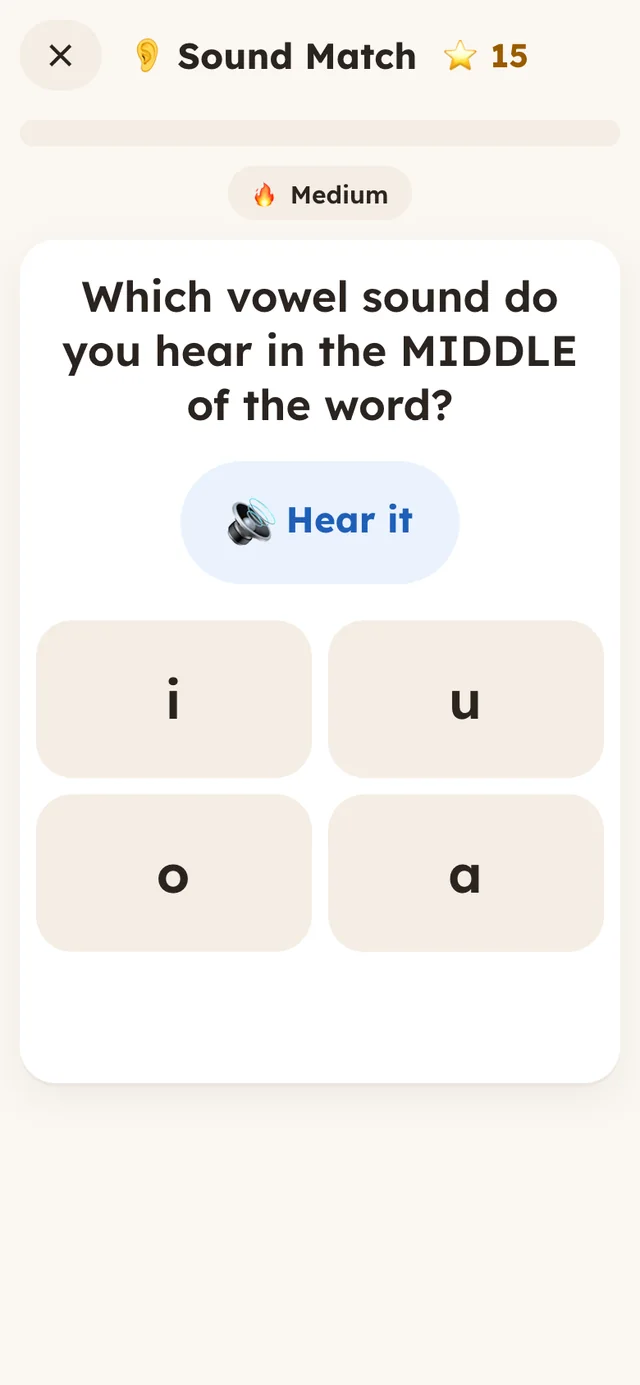
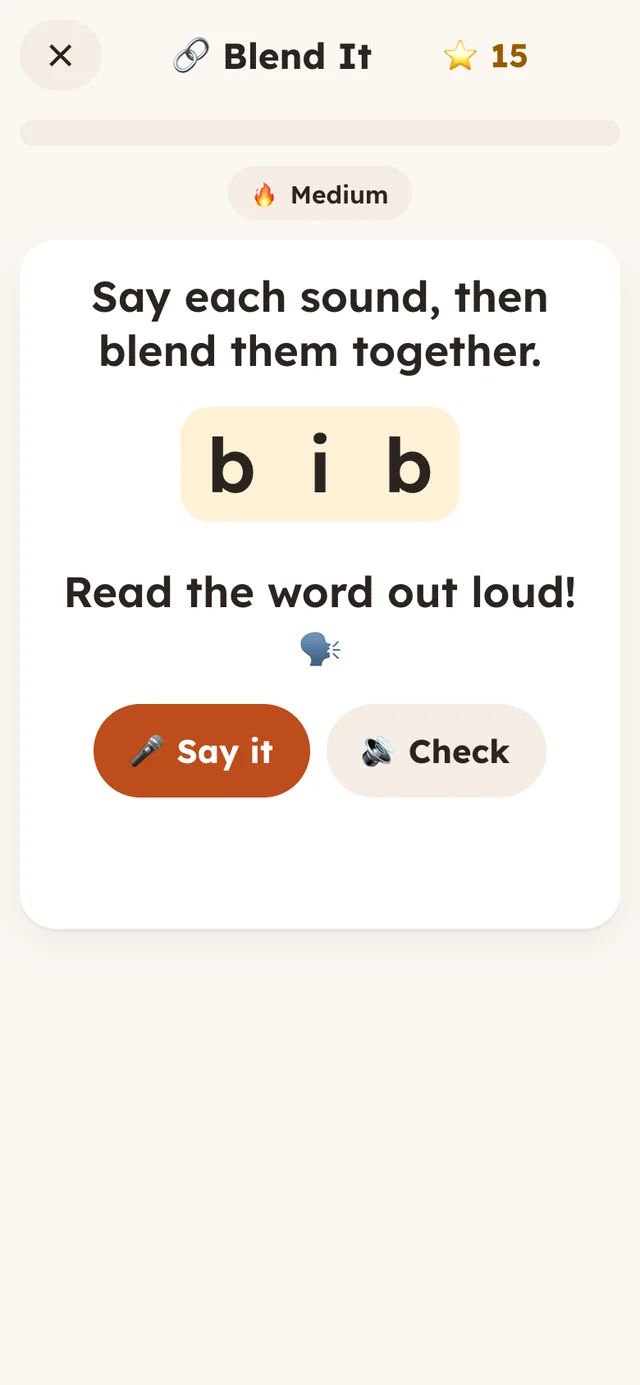
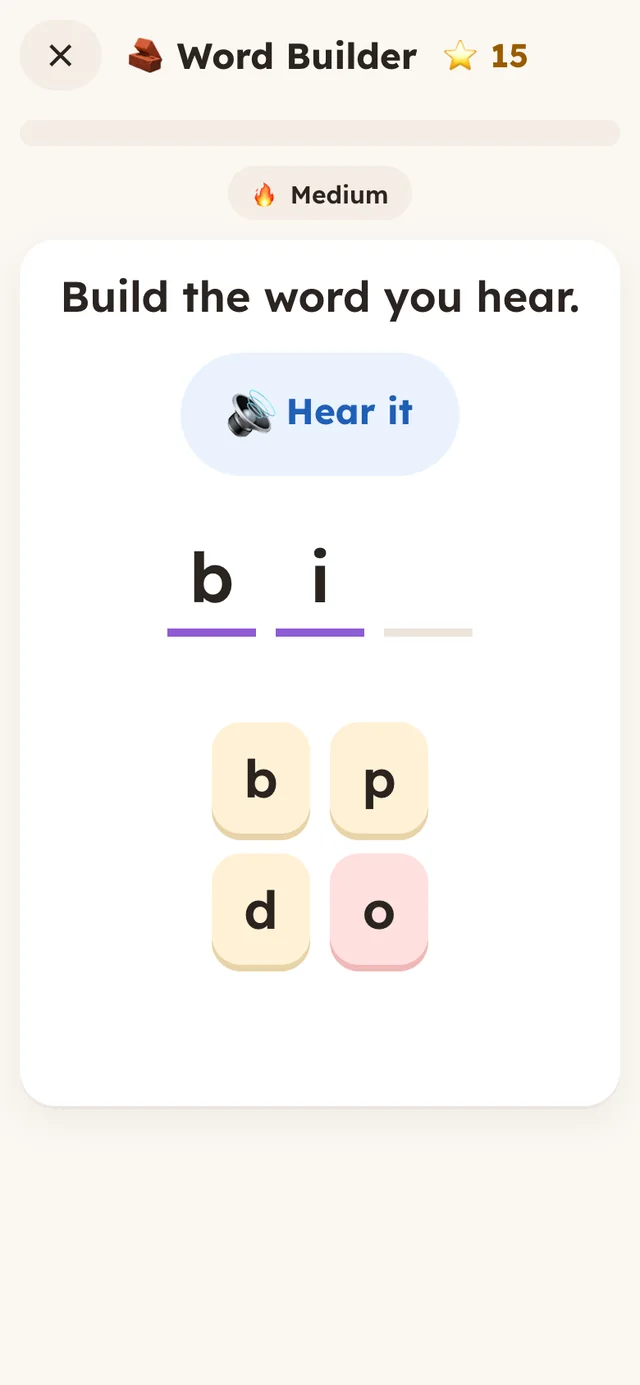
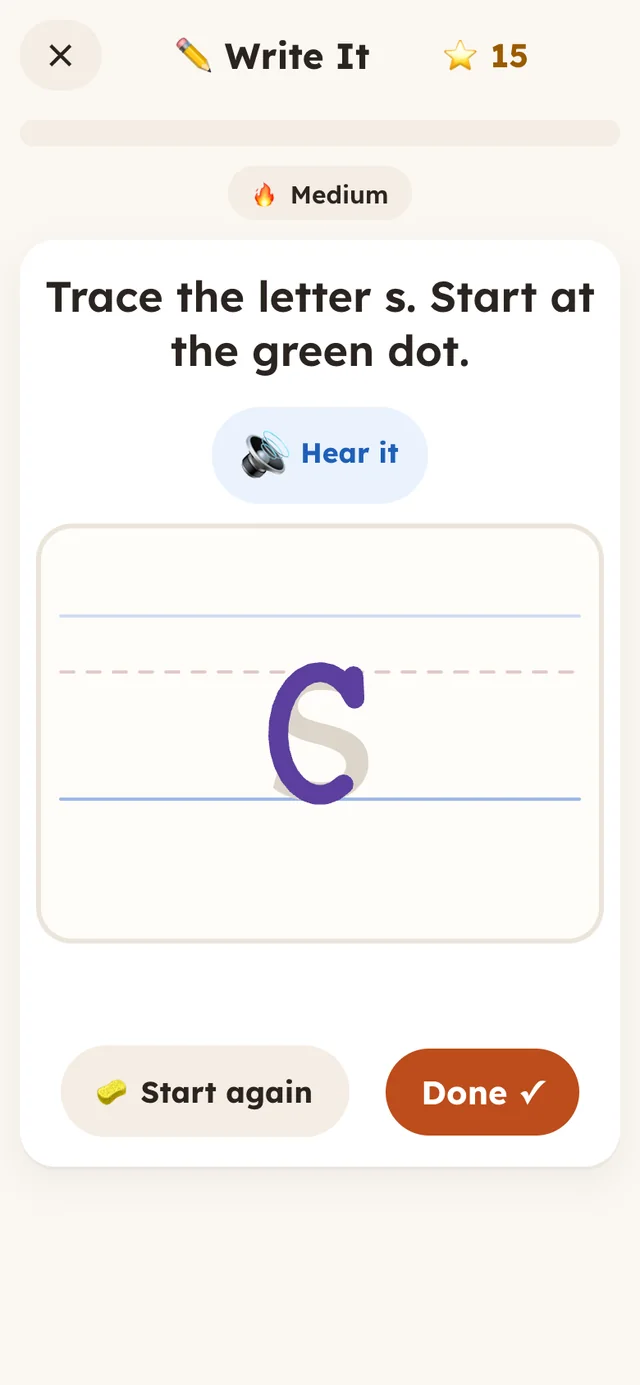
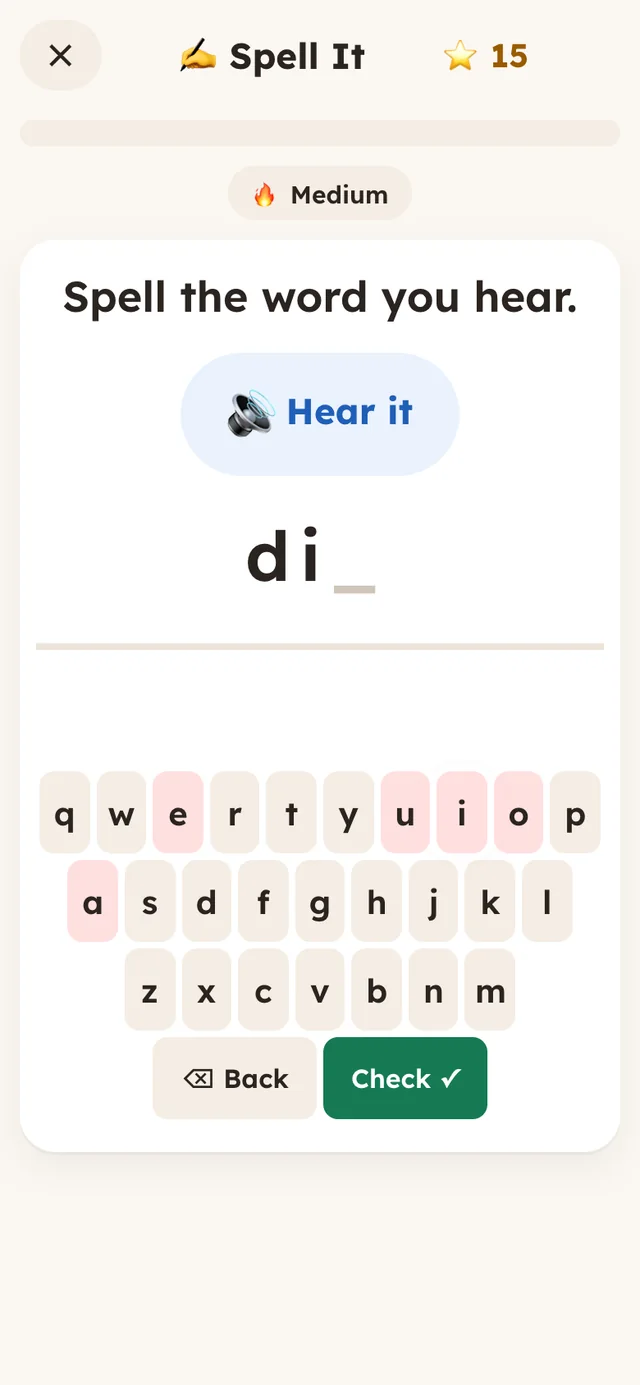
It fits your child, not the other way round
🧭 Starts at their level
The first few games find where your child is. A 4th grader who reads like a 1st grader starts with 1st-grade sounds, without it feeling babyish.
🎚️ Harder or easier as they play
Three right in a row and it steps up. Two misses and it eases off, so practice stays in the "I can do this" zone.
🔁 Missed words come back
A word they got wrong comes back later the same day, then the next day, then a few days after that. A level is finished only when it is solid on two different days.
🐢 No guessing through
Answers unlock after the question is read out. Careful mode makes a child listen again before a second try, instead of tapping until it's right.
🌷 A farm, not a slot machine
Every few things a child really knows grows a flower, a fruit or a veggie; every level finished plants a tree. The weekly goal counts days, so a missed day never breaks a streak. No ads, no timers, no leaderboards.
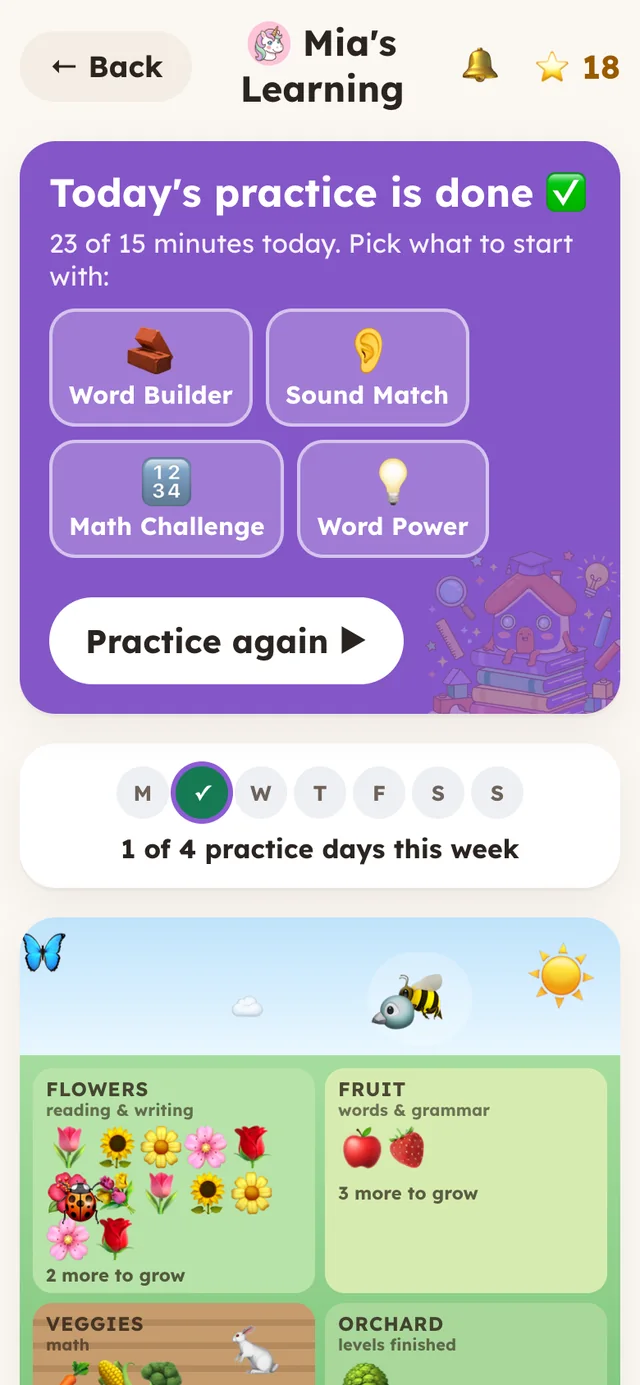
Kids want to come back
They pick which game to start with, hear a kind explanation when something is wrong, and watch their garden grow from what they have learned.
- About 15 minutes, a few days a week
- Stars for showing up, not for each answer
- Older students get a calm, grown-up look
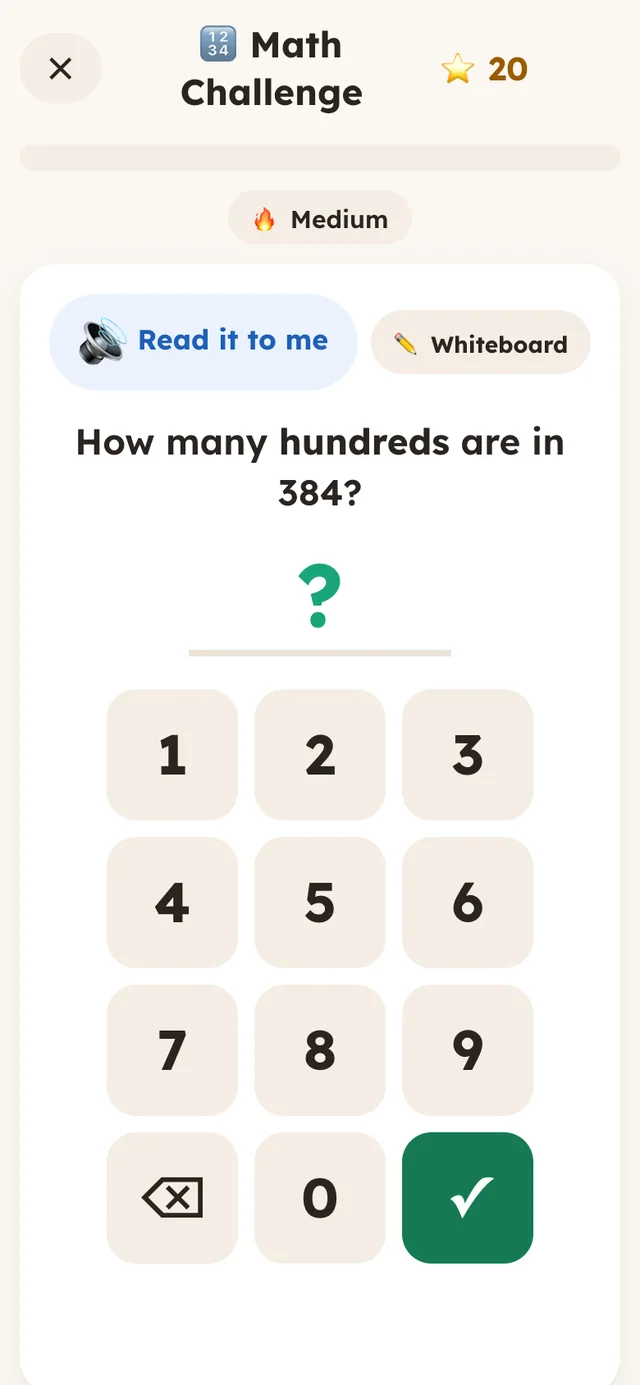
Math from counting to precalculus
168 levels that follow the US grade standards, with a whiteboard for working it out and a hint that explains the idea when an answer is wrong.
- Kindergarten to grade 12: Algebra 1, Geometry, Algebra 2, statistics
- Earlier skills are mixed back in so they stay fresh
- Vocabulary, grammar and reading with questions for every grade
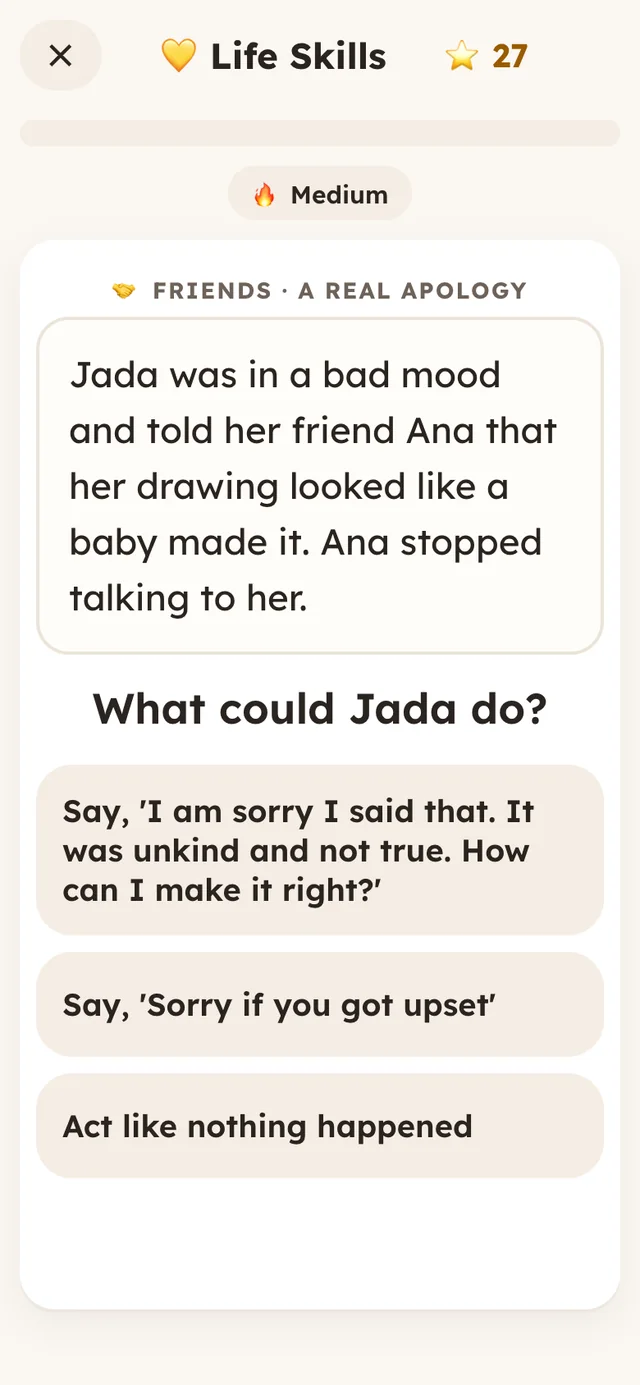
Life skills, not only school skills
Short real-life stories ask "what could you do?" about feelings, friends, honesty, money, staying safe and life online. Each one ends with a small mission for today and a question for the dinner table.
- 160 lessons, matched to age from kindergarten to 12th grade
- No choice is marked wrong; each gets a kind note
- Tonight's table question shows on the family screen
And something for you
Homora looks at your children's ages and shows only what fits, so it takes things off your plate instead of adding to it.
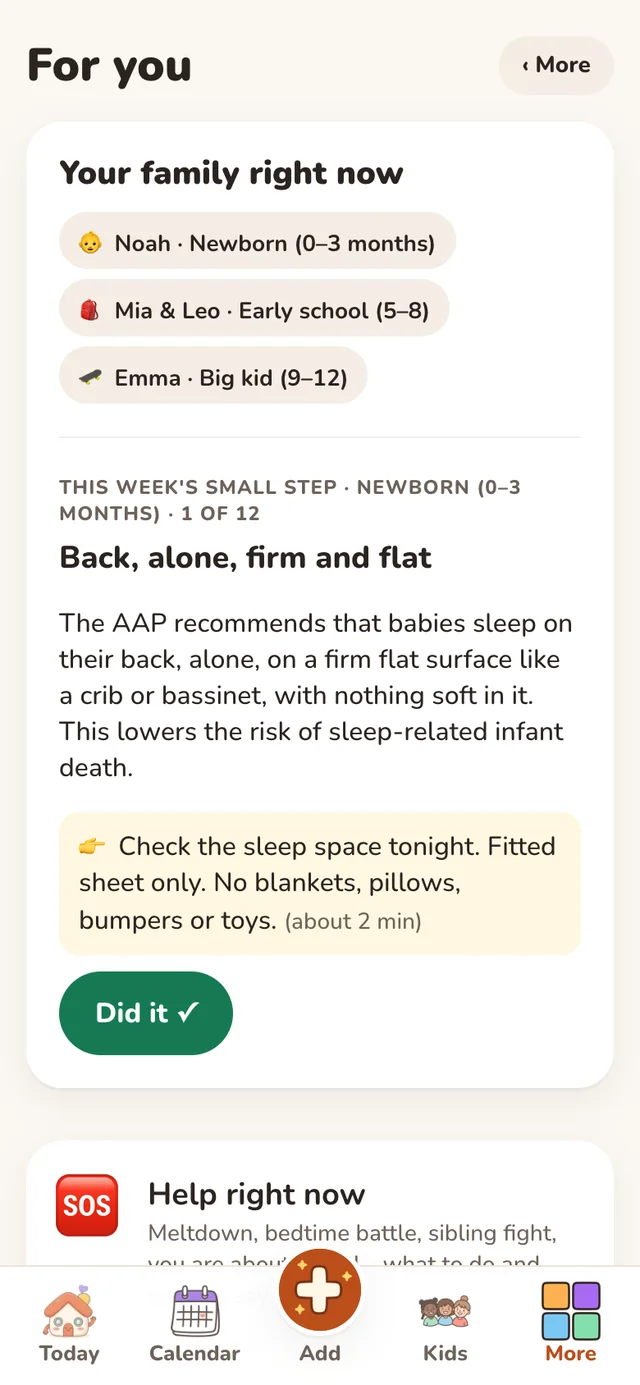
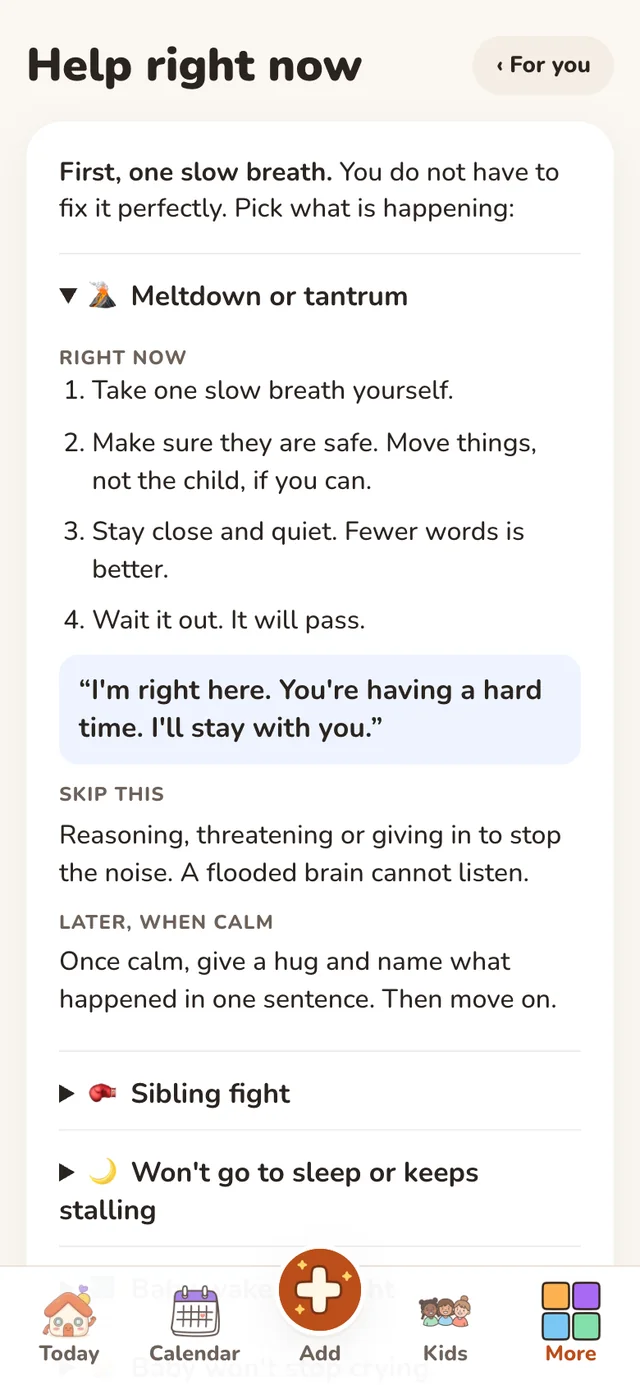
General parenting information based on mainstream guidance. It is not medical advice.
It runs the family's day too
Practice sticks when it's part of the routine. Homora is also the family's calendar, checklist and kitchen screen.
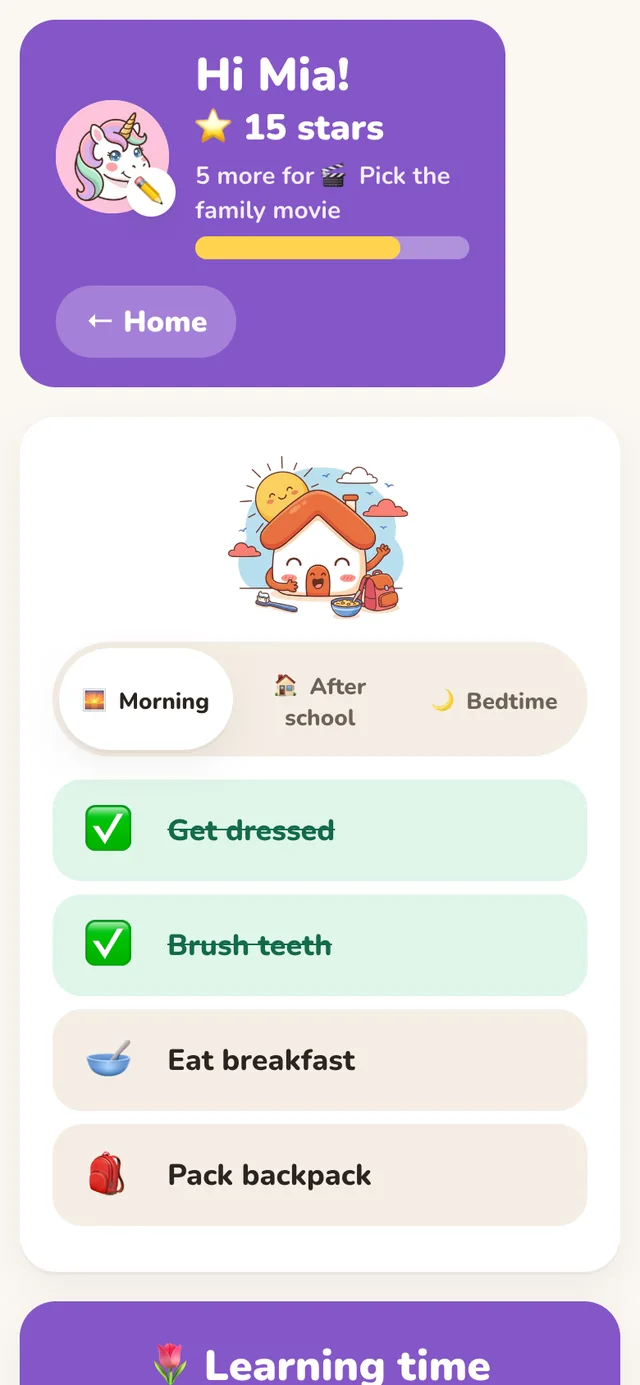
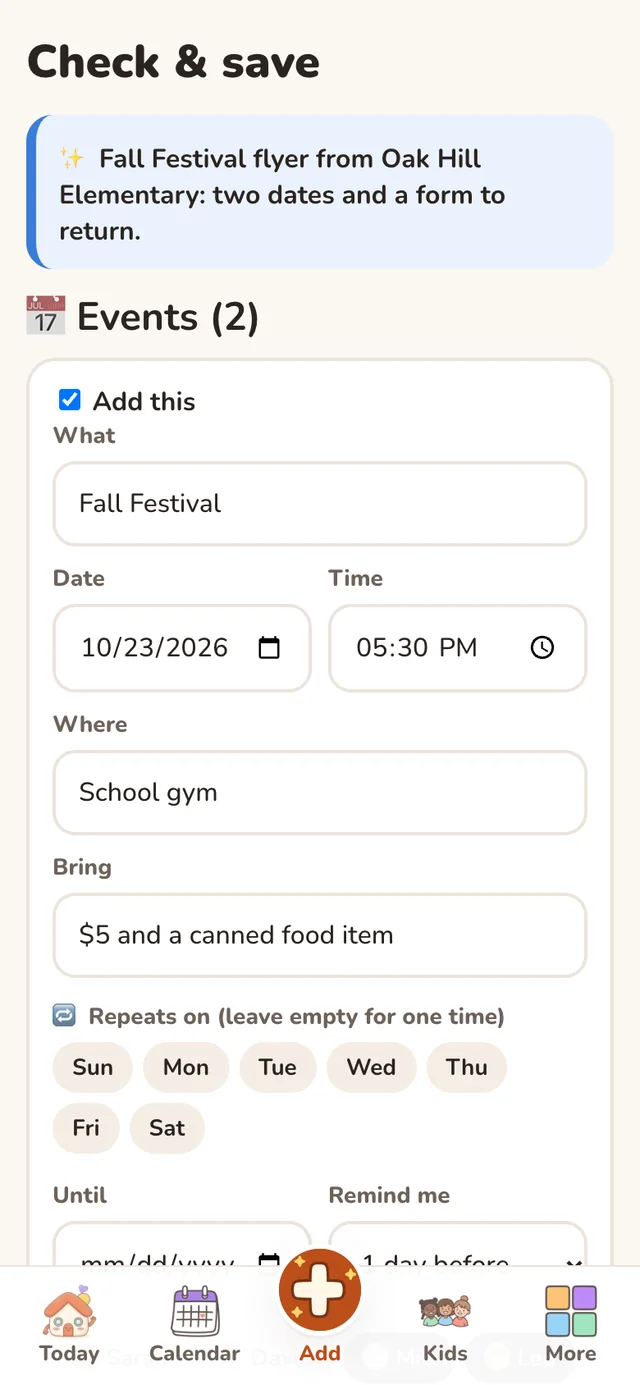
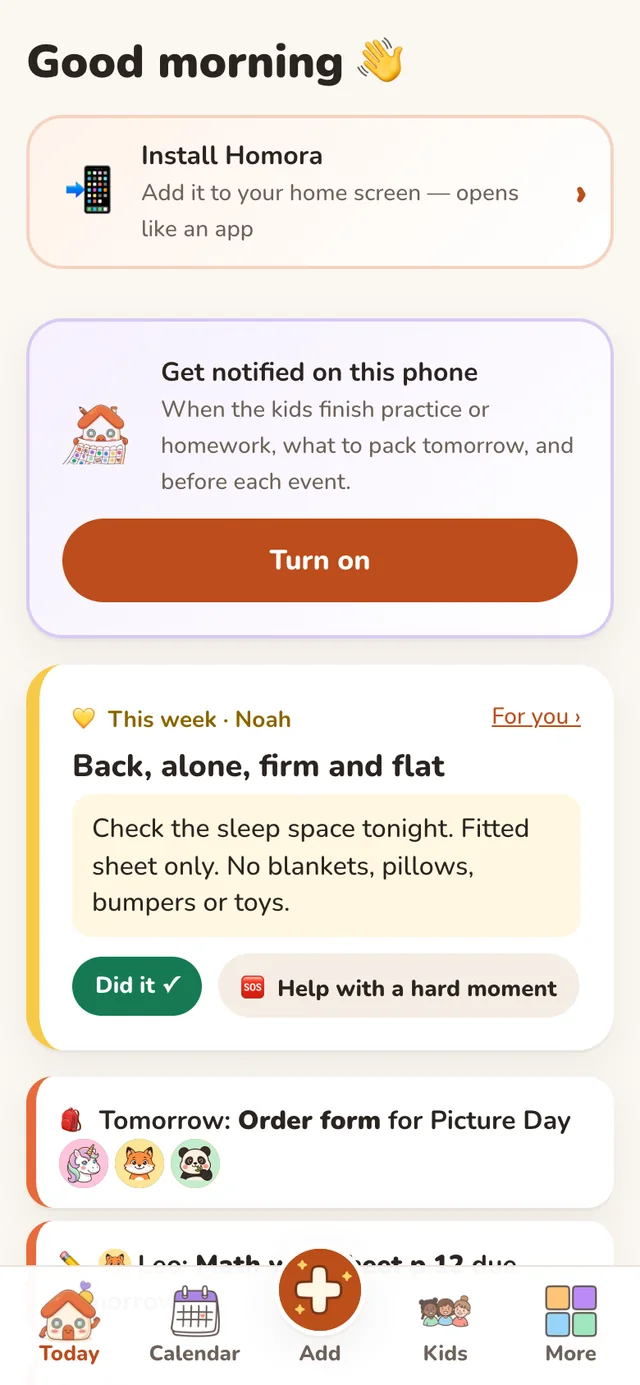
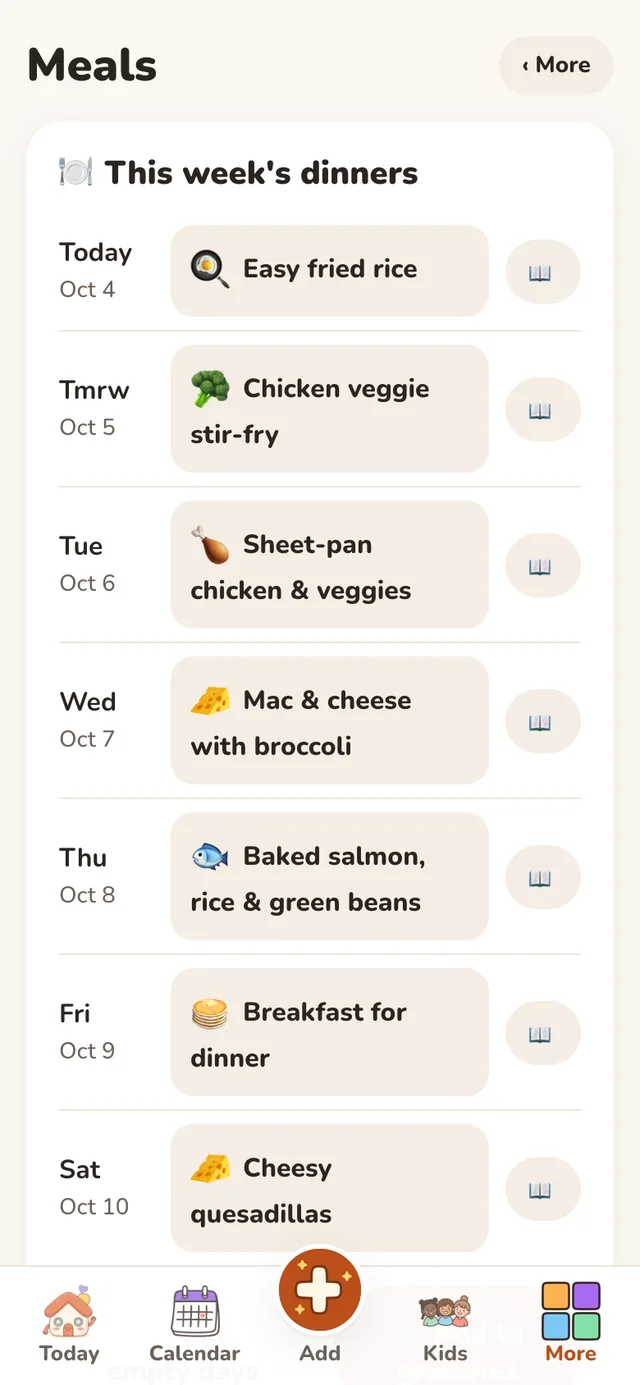
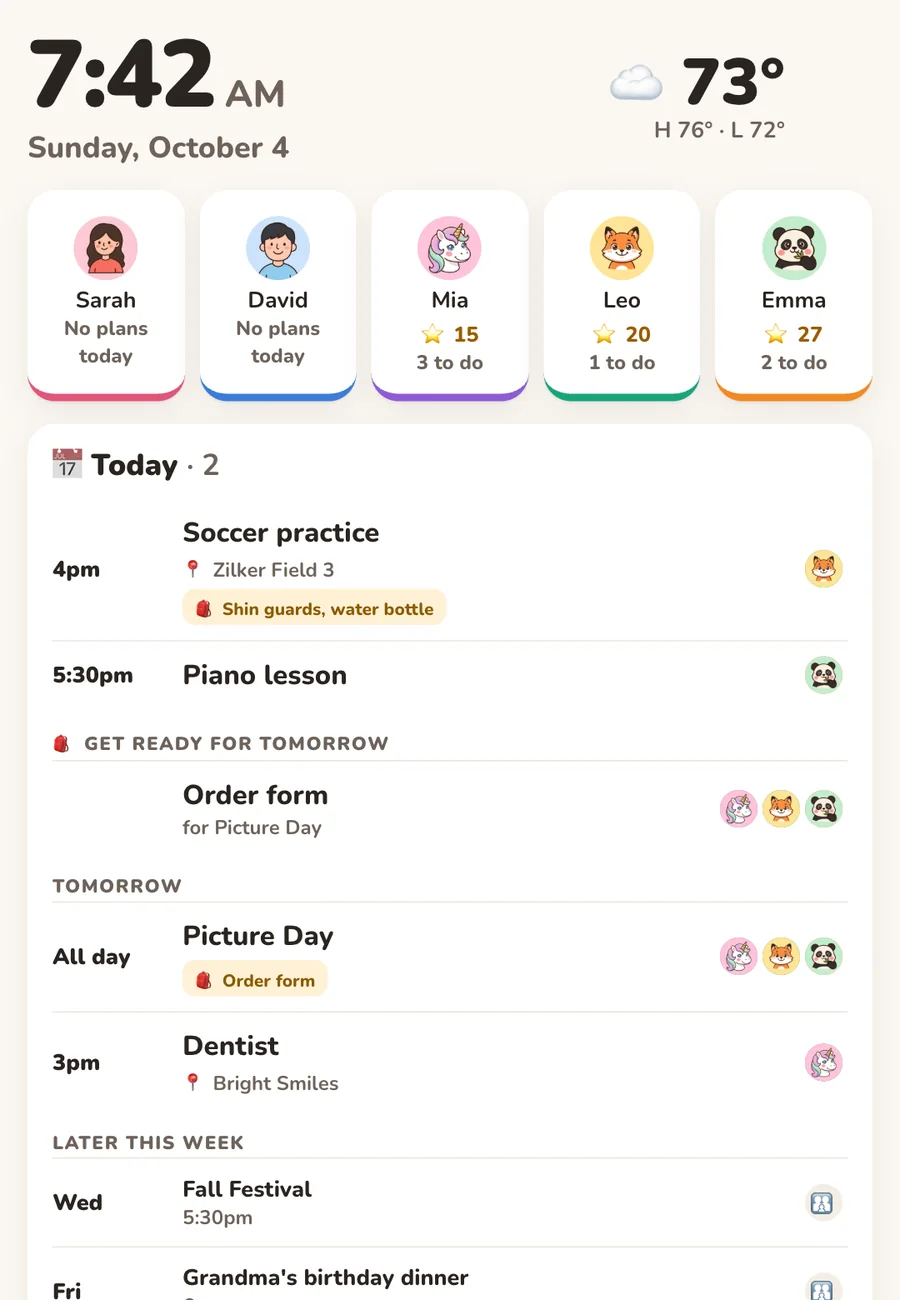
A family screen in the kitchen
Open Homora on a smart fridge, an old tablet or any screen with a browser. Kids tap their own picture to see their checklist and start practice.
- Works in the browser of Samsung Family Hub fridges
- Connect a screen with a code. No sign-in on the fridge.
- Kids don't need a phone
Built for families, so privacy comes first
- Kids don't have accounts. A parent adds them as profiles.
- No ads in the app, and we don't sell your family's information.
- Children never see a "buy" button. Plans are in the parent area only.
- A parent PIN keeps settings and rewards away from little fingers.
- Yours to take or delete. Download a backup or delete everything, any time.
Free for the kids. Plus for you.
Everything a child uses is free, for good. Every family also gets 14 days of Plus to try. No card needed.
Free
- All learning, K–12: reading, writing, math, life skills
- The parent guide and help for hard moments
- Shared calendar and reminders
- Routines, chores, homework and rewards
- Fridge and tablet screens
- 5 Homi reads a month (photos, texts, voice)
Plus ✨
- Everything in Free
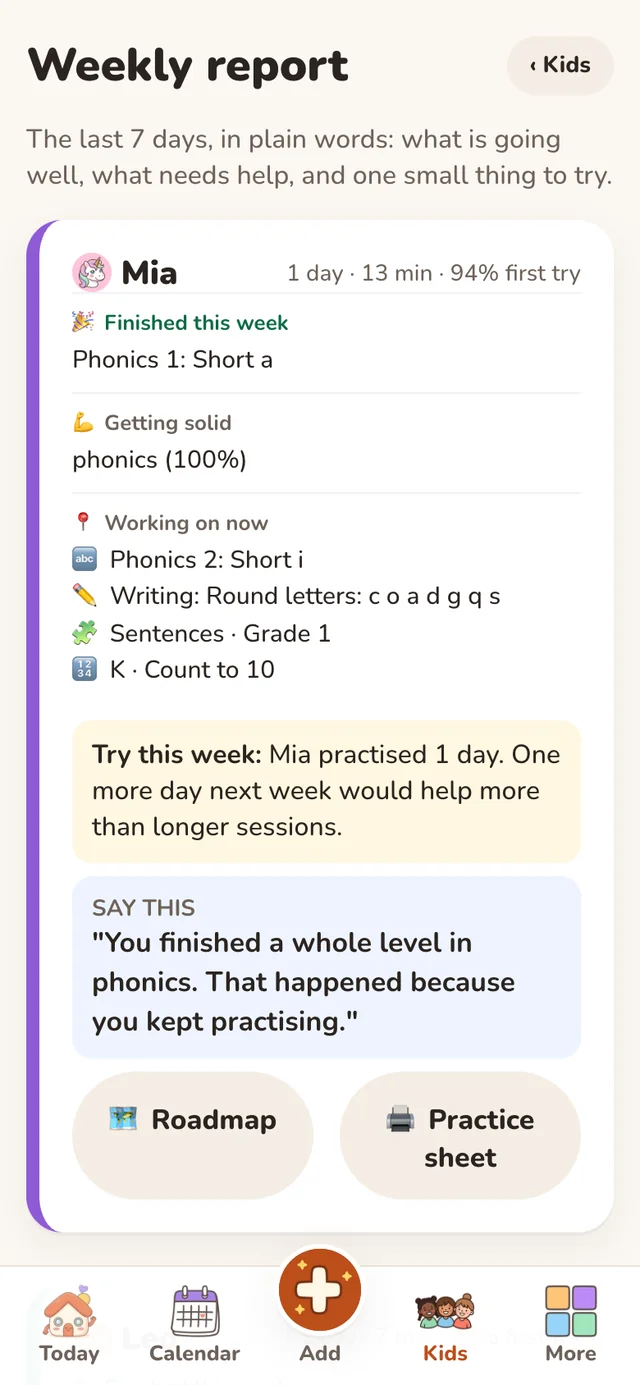
- Weekly report for each child, with one thing to try
- Printable practice sheets made from each child's tricky words and math level
- Change things by voice: "add a chore", "give Mia 5 stars"
- Caregiver seats for a grandparent or sitter
- Unlimited Homi reads of flyers, texts and emails
- One price for the whole family
Questions parents ask
My child is behind in reading. Will this help?
It gives daily, structured phonics practice that starts from single sounds and moves up in small steps, which is the kind of practice many struggling readers need more of. It is practice, not a diagnosis or a replacement for a teacher or reading specialist. If you're worried, talk to the school as well.
What ages is it for?
Learning runs from pre-K to 12th grade. Each child is placed by what they can do, not by age, so an older child can work on early reading and a younger one can move ahead. The parent guide starts in pregnancy and covers babies, toddlers and teens.
We don't have school-age kids yet. Is it useful?
Yes. With a baby on the way or a little one at home you get small weekly steps for that stage, help for hard moments, a baby log and a shared calendar. The learning games are ready when your child is.
How long does practice take?
About 15 minutes, a few days a week. You can change the length and the weekly goal for each child.
Is it one more thing for me to manage?
It is built not to be. Levels move by themselves, the weekly report tells you what matters, and the guide gives you one small step a week, not a course.
Do my kids need their own phones?
No. Kids use the family screen in the kitchen, or a tablet you hand them. They don't sign in and don't have accounts.
Do I need to download it from an app store?
No. Homora runs in your browser. On a phone or tablet you can add it to your home screen and it opens like an app.
Will it work on my fridge?
If the fridge has a web browser, yes. It is used on Samsung Family Hub fridges. Any tablet or an old laptop works too.
What happens when the trial ends?
You move to the Free plan. Nothing is deleted and nothing is charged. All the learning stays free. You only pay if you choose Plus.
Can my partner or a grandparent use it too?
Yes. Invite another parent from Settings. With Plus you can also add a caregiver, who sees the family screen but not your settings. One plan covers the whole family.

Start with ten minutes tonight
Start freeTakes about two minutes to set up. No card needed.